
Features
What you will get with the app
Aurora forecast
Real-time, 27-day, and seasonal outlook forecasts, plus last night’s summary.
Alerts
Aurora alerts & real-time Northern Lights sightings
Northern Lights map
Where to see the Northern Lights tonight
Aurora moments
Live Northern Lights sightings & real-time aurora report
Aurora passport
Track your Northern Lights sighting journey
All features
Everything the app can do
Northern Lights Map
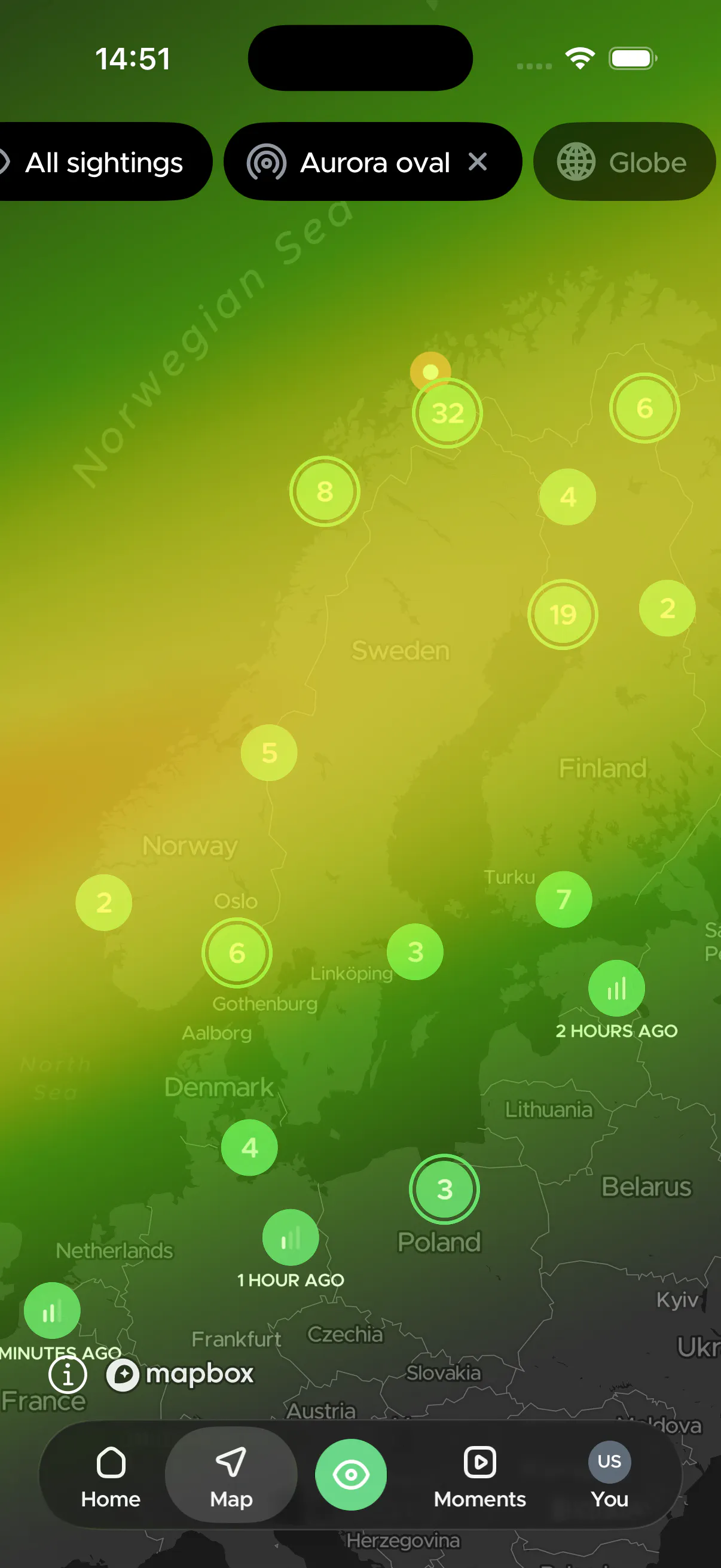
Use interactive Northern Lights map to track the aurora oval, check cloud coverage, view real-time sightings, find the best places to watch and see all aurora sightings location from last night.
Global live sightings
See where people are spotting the Northern Lights in real time. View photos and verified ground reports from aurora hunters worldwide.
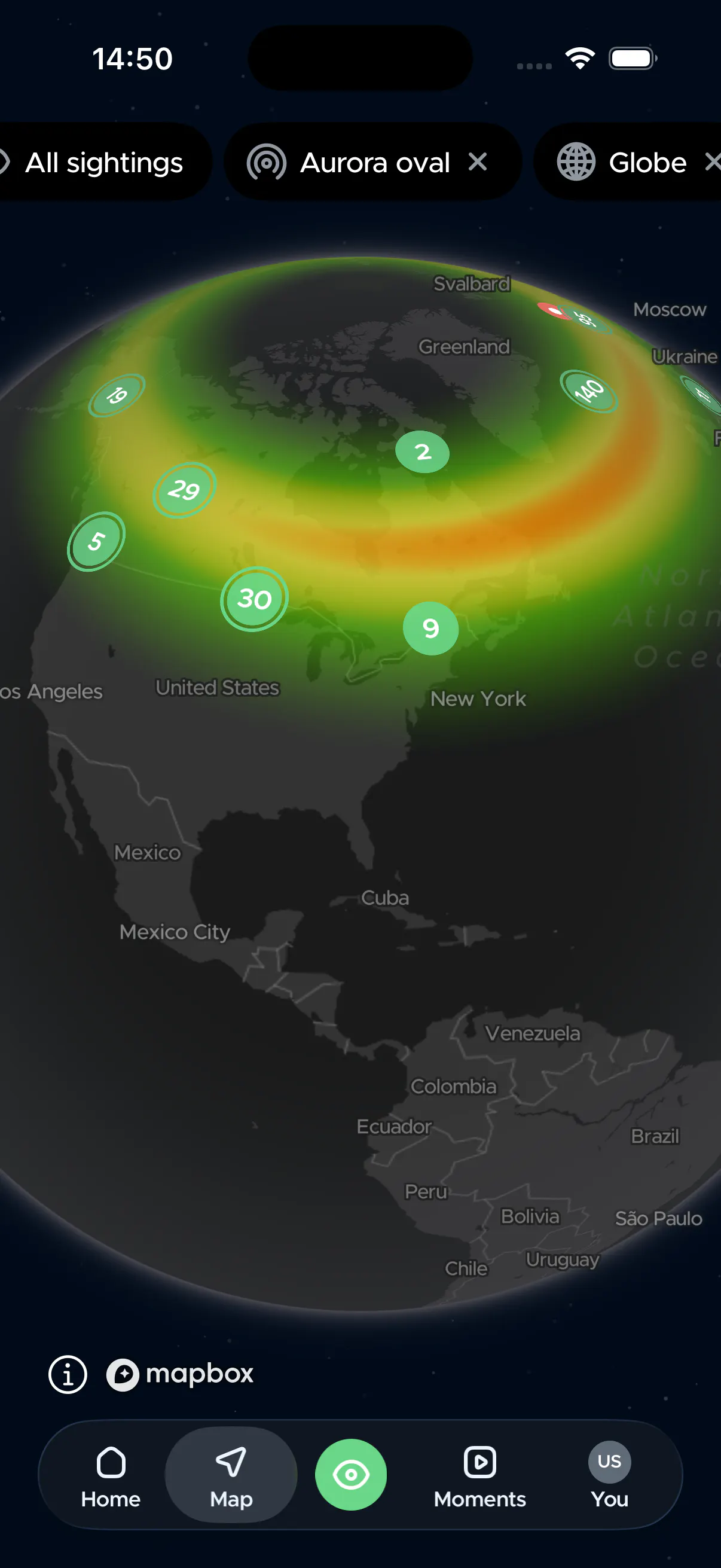
Aurora Oval
See exactly where Northern Lights are occurring right now on the map, track the oval to see the movement and expansion of the lights.
Cloud coverage forecast
Clouds are your main enemy when chasing the lights. Monitor real-time total cloud cover and lower cloud coverage to pinpoint clear skies.


Live from last night
See where fellow aurora hunters spotted the lights last night. Browse crowdsourced photos and real-time sightings from users.

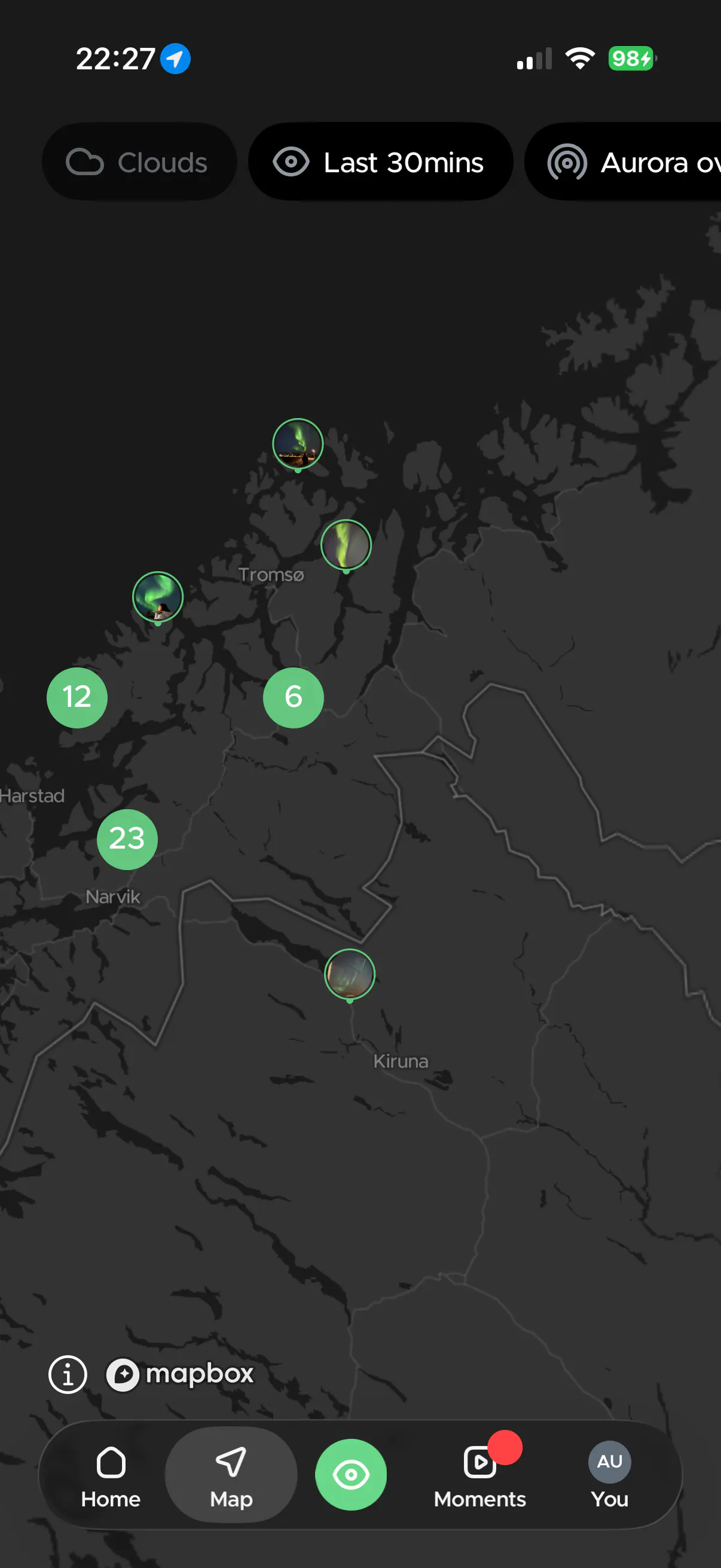
Last 30 mins sightings
See only aurora sightings report location from 30 minutes ago right on the map.
What people loves about our aurora map
The map with community sightings is the best feature and isn’t on other apps I’ve seen.
Fantastic app that has been essential in our search for auroras. map shows cloud cover, data from instruments helps set potential sighting expectations and the community photos help locate them in real time. Allow notifications for this app and you will spot one!
Good app, useful for understanding where (on the map) people are seeing aurora
Our interactive map combines real-time solar activity, global crowd-sourced sightings and local cloud forecasts into a single screen.
Whether you are hunting from home or planning an Arctic road trip, here is how to use Hello Aurora's map to find clear skies and catch the lights tonight.
Aurora oval (live nowcast)
The aurora oval shows you where the geomagnetic activity (that creates aurora) is occurring right now. The colored ring on your map represents the live auroral oval nowcast based on NOAA's OVATION model.
- Green: Indicates low to moderate aurora activity overhead
- Orange to red: Signals an intensifying geomagnetic storm with stronger visibility
How to use it: When the oval expands over your location, head outside and look up (remember to check cloud coverage and light pollution).
Check total and low cloud cover
Even a massive geomagnetic storm is invisible behind overcast skies. Use our cloud cover map for to find clear viewing windows:
- Switch between total cloud cover and low cloud layers. Low-altitude clouds are the biggest obstacle for aurora hunters because they form a thick, opaque ceiling.
- Use timeline bar to forecast the cloud and zoom in on your location or target destination to pinpoint breaks in the clouds
Pro Tip: Do a final weather check in the late afternoon to know where to go for the evening.
Track real-time global sightings
Green pins on our Northern Lights map representing real-time sightings submitted by fellow aurora hunters in the day.
- Tap any pin to see local activity intensity or view live photos taken on the ground.
- Pro users can use the filter bar to show only sightings from the last 30 minutes.
Pro Tip: Turn on Aurora Spotted Alerts to get instant push notifications the moment someone confirms a display near you.
See where the sky it up last night
Missed the show? Pro users can filter the map to last night's sightings displayed as white dots. Tap into any location to instantly view stunning user photos and detailed aurora strength metrics.
Discover featured "Moments"
Grey pins represent sightings with high-quality photos and are highlighted automatically as the Featured Moments. Use this to verify display quality and see where the most dramatic photo spots are located.
One last advice to help you plan the upcoming trip
If you are heading to Northern Lights country soon. Check community sighting daily to see local hotspots and map out high-probability viewing routes in advance.
Frequently asked questions
Q: Where can I see where people are seeing the Northern Lights tonight?
A: You can see live reports where people are seeing the Northern Lights tonight using the Hello Aurora app. These are real-time sightings submitted by people on the ground at every active northern lights sighting location. You can also view "Moments," which are authentic photos submitted alongside live sightings on your Northern Lights map.
Q: Is the aurora oval live on the app?
A: Yes! The aurora oval on Hello Aurora is live and represents where the aurora activity is happening right now, helping you track the intensity of the lights relative to your chosen Northern Lights location.
Q: How do I use a Northern Lights map and cloud forecast to plan my night?
A: On the map page, choose whether you want to check total clouds or low clouds to monitor cloud coverage for Northern Lights viewing. Change cloud progression by moving the timeline. You can zoom into your location and see if the clouds are covering the sky: a yellow overlay means total clouds are covering the area, and blue is for low clouds.
Q: Is cloud coverage on Hello Aurora accurate?
A: We use a trustworthy source that provides an accurate cloud coverage. Qe only display coverage for the day since weather and cloud cover can always change quickly to ensure maximum precision when you are planning where to chase the lights.
Q: Where can I see where people are seeing the lights 30 mins ago?
A: On the map page of the app, Pro users can choose to show only Northern Lights sighting locations and user sightings that were reported in the last 30 minutes.
Get started
Don't wait any longer, download
hello aurora and start exploring!